Document Scanner App for Android & iOS
OnlyScans is a free document scanner app that keeps your files private: scan documents, IDs, and passports to PDF on your Android phone or iPhone, run offline OCR on your device, and export searchable PDFs — no account required.
Free to use. Subscriptions or one-time purchase for premium features.
🛡️
Offline OCR
Searchable PDF
10:42
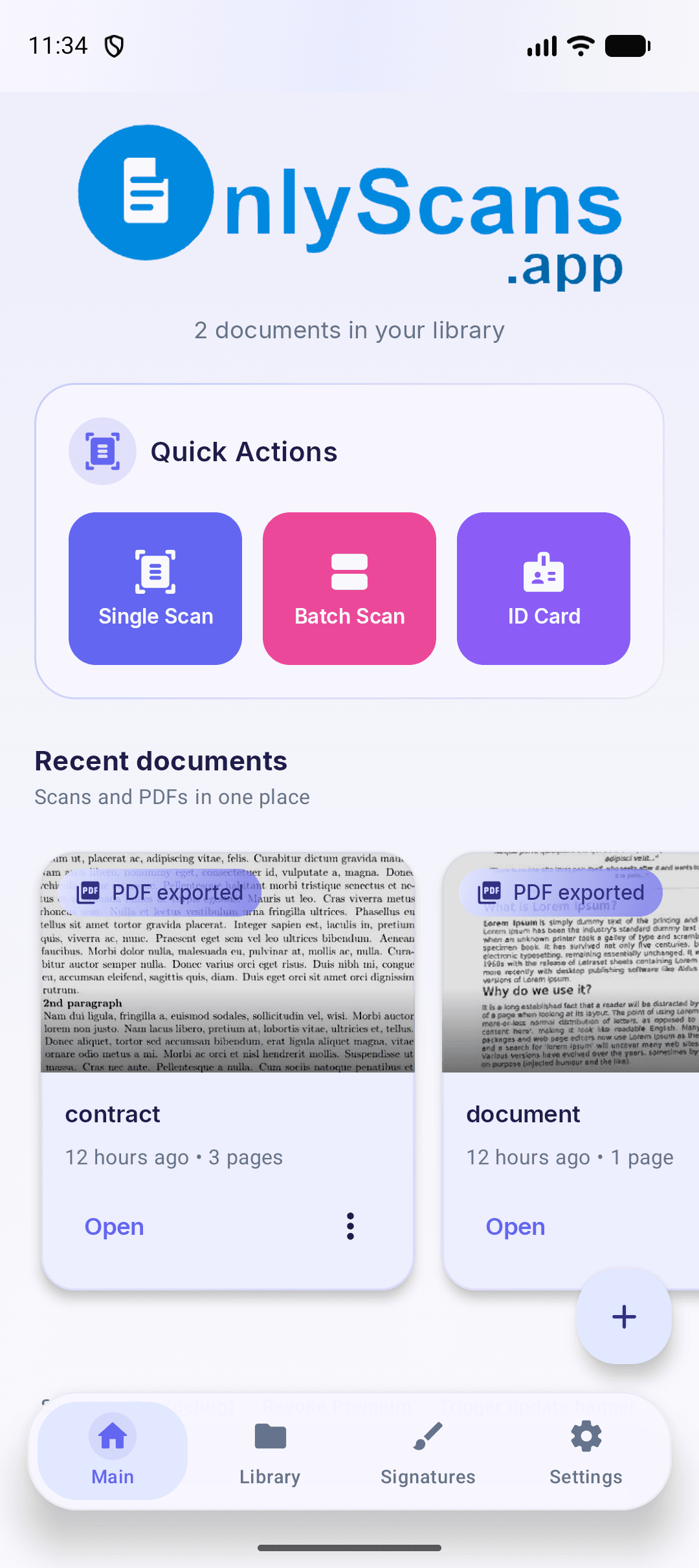
Everything you need to scan documents
Powerful features that make document scanning effortless and private — offline OCR, annotations, and searchable PDF export in the OnlyScans app.
Smart Scan
Auto-detect document edges with intelligent perspective correction for perfectly aligned scans.
ID Card & Passport Scan
Scan ID cards and passports with automatic data extraction, MRZ parsing, and dual-side support.
Sign & Annotate
Add digital signatures, text stamps, and freehand drawings directly onto your scanned pages.
Offline OCR in 80+ Languages
Extract text on-device in 80+ languages including Chinese, Japanese, Korean, Hindi, and Latin scripts. Offline OCR can create searchable PDF exports.
Advanced Filters
Enhanced, Grayscale, Black & White, and Whiteboard modes. Fine-tune brightness, contrast, sharpness, and more.
Folders & Organization
Organize scans into folders with custom colors and icons. Pin favorites, add labels, and search by content.
Document Security
Protect PDFs with password encryption and lock the app with biometric authentication.
PDF Import
Import existing PDF documents into your library to annotate, organize, and re-export them with ease.
Home Screen Widgets
Quick Scan and Recent Documents widgets for instant access right from your home screen.
Batch Scanning
Scan multiple pages in rapid succession. Merge, split, and reorder documents with drag-and-drop.
Flexible PDF Export
Export as PDF or image with adjustable quality and password protection. Share to Drive, Dropbox, OneDrive, or any app. Use searchable PDF export when OCR text is needed.
OnlyScans for Teams
Use OnlyScans as a document scanner for business: give teams a focused Android and iOS workflow for document capture, offline OCR, searchable PDF export, and account-free setup.
Team scanner workflow
How it works
Go from paper to high-quality PDF in three secure offline steps.
01
1. Point and Capture
Open the app and align your camera. The auto-detector instantly finds edges, corrects perspective distortion, and snaps the perfect shot.
02
2. Enhance and Annotate
Apply advanced filters to make scanned text crystal clear. Add digital signatures, annotations, stamps, or redact sensitive info entirely offline.
03
3. Export and Share
Save scans as multi-page PDFs or JPEG images. Encrypt files with password protection or export straight to your favorite local or cloud storage.
Choose the perfect plan for you
Start with core scanning tools, then choose monthly, yearly, or lifetime access for OCR, searchable PDF export, batch scanning, signatures, and app lock.
Free Tier
Perfect for essential scanning needs with zero cost.
Unlimited document scans
Full offline local processing
Basic image enhancement filters
Export to PDF & JPEG with watermark
Single-side ID & Passport scanning
Pro
Every Pro feature, unlocked from inside the app with the plan that suits you.
All Free Tier features
No watermarks on exported files
OCR text extraction (80+ languages)
Searchable PDF exports (with OCR text)
Batch scanning & multi-page document creation
Sign and annotate documents
Password protect PDFs
App lock with biometric/PIN authentication
Home screen widgets
B2B & Teams
Team licensing for organizations that need private document capture, offline OCR, and searchable PDF export on Android and iOS. Tell us about your team and we will get you set up.
Flexible team licensing
Account-free app setup
Local document processing workflow
Privacy you can trust
Your documents are yours alone. We built OnlyScans with privacy as the foundation.
On-Device Storage
All scanned documents, images, and texts are saved strictly on your local device. We do not operate a cloud backend, and we never upload your files.
Local OCR & ML Kit
Document capture and text recognition occur entirely on your device using ML Kit. Google Play services may process basic operational diagnostics.
No Accounts Required
Start scanning instantly. There is no account registration, signup, or email capture, keeping your identity completely anonymous.
Secure Purchases & Billing
Subscriptions and purchases are processed securely by Google Play Billing. OnlyScans never collects, stores, or processes your payment card details.
Frequently asked questions
Is OnlyScans safe?
Yes. OnlyScans was built so your documents stay private: scans, images, and recognized text are stored only on your device, and the app does not operate a cloud backend or upload your files. Purchases are handled by Google Play Billing on Android and by the App Store on iOS, so OnlyScans never sees your payment card details.
Does OnlyScans work offline?
Yes. Capture, edge detection, filters, and OCR all run on your device, so you can scan without an internet connection. You only need a connection to install the app or manage a purchase on Google Play or the App Store.
Does OnlyScans upload my documents to the cloud?
No. Your scans stay on your device unless you choose to export or share them yourself. Text recognition runs locally with ML Kit, and Google Play services may process basic operational diagnostics.
Is OnlyScans really a free document scanner app?
Yes. OnlyScans is a free document scanner app: the free tier includes unlimited scans, offline local processing, basic filters, and PDF or JPEG export with a watermark. Pro plans add OCR text extraction, searchable PDF export, batch scanning, and more.
Is OnlyScans available for iPhone (iOS)?
Yes. OnlyScans is available on both Android and iOS. Get OnlyScans PDF & Doc Scanner on the App Store for iPhone, or on Google Play for Android — scanning, offline OCR, and searchable PDF export run fully on-device on both platforms.
What makes OnlyScans the best document scanner app for private, offline scanning?
OnlyScans focuses on one thing: private, offline scanning. Capture, filters, and OCR in 80+ languages run entirely on your device, there is no cloud backend and no account, and you can still export searchable PDFs. If those are your priorities, it is a strong choice on both Android and iOS.
Can I use OnlyScans as a document scanner for business teams?
Yes. OnlyScans suits teams that handle sensitive paperwork because every scan stays on the device — nothing is sent to a third-party cloud. For team licensing on Android or iOS, contact us using the form in the pricing section above.
More ways to use OnlyScans
OnlyScans handles more than plain documents. Explore these offline, on-device workflows:
Turn paper into searchable PDFs on your phone
Install the OnlyScans app from Google Play or the App Store to capture documents, run offline OCR, and create searchable PDF files on Android and iOS.